Mail Notifications
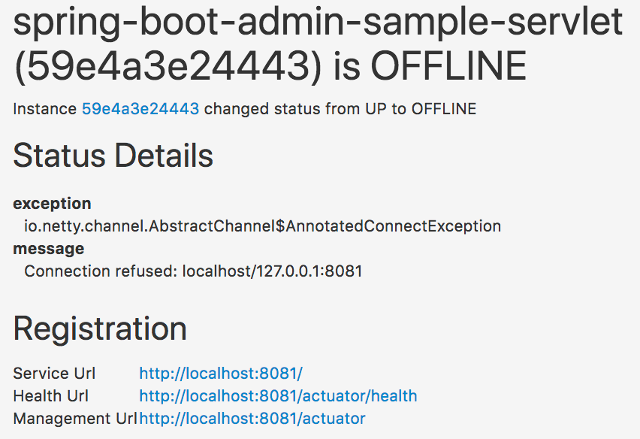
Mail notifications will be delivered as HTML emails rendered using https://www.thymeleaf.org/[Thymeleaf] templates.
To enable Mail notifications, configure a JavaMailSender using spring-boot-starter-mail and set a recipient.
info
To prevent disclosure of sensitive information, the default mail template doesn’t show any metadata of the instance. If you want to you show some of the metadata you can use a custom template.
Add spring-boot-starter-mail to your dependencies
<dependency>
  <groupId>org.springframework.boot</groupId>
  <artifactId>spring-boot-starter-mail</artifactId>
</dependency>
application.properties
spring.mail.host=smtp.example.com
spring.boot.admin.notify.mail.to=admin@example.com
| Property |
|---|
spring.boot.admin.notify.mail.cccc-recipients of the mail
|
spring.boot.admin.notify.mail.torecipients of the mail
|
spring.boot.admin.notify.mail.fromsender of the change
|
spring.boot.admin.notify.mail.enabledEnables the notification.
|
spring.boot.admin.notify.mail.base-urlBase-URL used for hyperlinks in mail
|
spring.boot.admin.notify.mail.templateThymeleaf template for mail
|
spring.boot.admin.notify.mail.ignore-changesList of changes to ignore. Must be in Format OLD:NEW, for any status use * as wildcard, e.g. *:UP or OFFLINE:*
|
spring.boot.admin.notify.mail.additional-propertiesAdditional properties to be set for the template
|